
MongoDB: Zero to Advanced (The Real Guide Nobody Else Will Write)
Author
Prayush Adhikari
Date Published

Hey there! So you've heard about MongoDB and now you're wondering what the heck it actually is and why everyone keeps talking about it. I've been down this rabbit hole and I'm going to save you from the confusion, the bad tutorials, and the Stack Overflow rabbit holes.
This is the guide I wish existed when I started.
---
## Let's Talk About Databases First (Bear With Me)
Before we jump into MongoDB, we need to talk about what a database actually is. And no, I'm not going to give you the boring textbook definition.
Think of it this way: you're building a web app. You have users, their profiles, their posts, their comments. Where does all this data live when you close your laptop? Not in your code. Not in RAM. It lives in a **database**.
A database is just an organized way to store, retrieve, and manage data. That's it. No magic.
Now here's where it gets interesting. There are two main types of databases and understanding the difference is going to save you a LOT of confusion.
### SQL vs NoSQL: The Fight That Never Ends
**SQL databases** (PostgreSQL, MySQL, SQLite) are like super strict spreadsheets. You define the columns upfront, every row must follow the same structure, and everything is neatly organized in tables. Want to change the structure? Hope you like writing migration scripts.
**NoSQL databases** (MongoDB being the king here) are more like a folder full of documents. Each document can look completely different from the others. Some can have 5 fields, some can have 50. Nobody's going to yell at you.
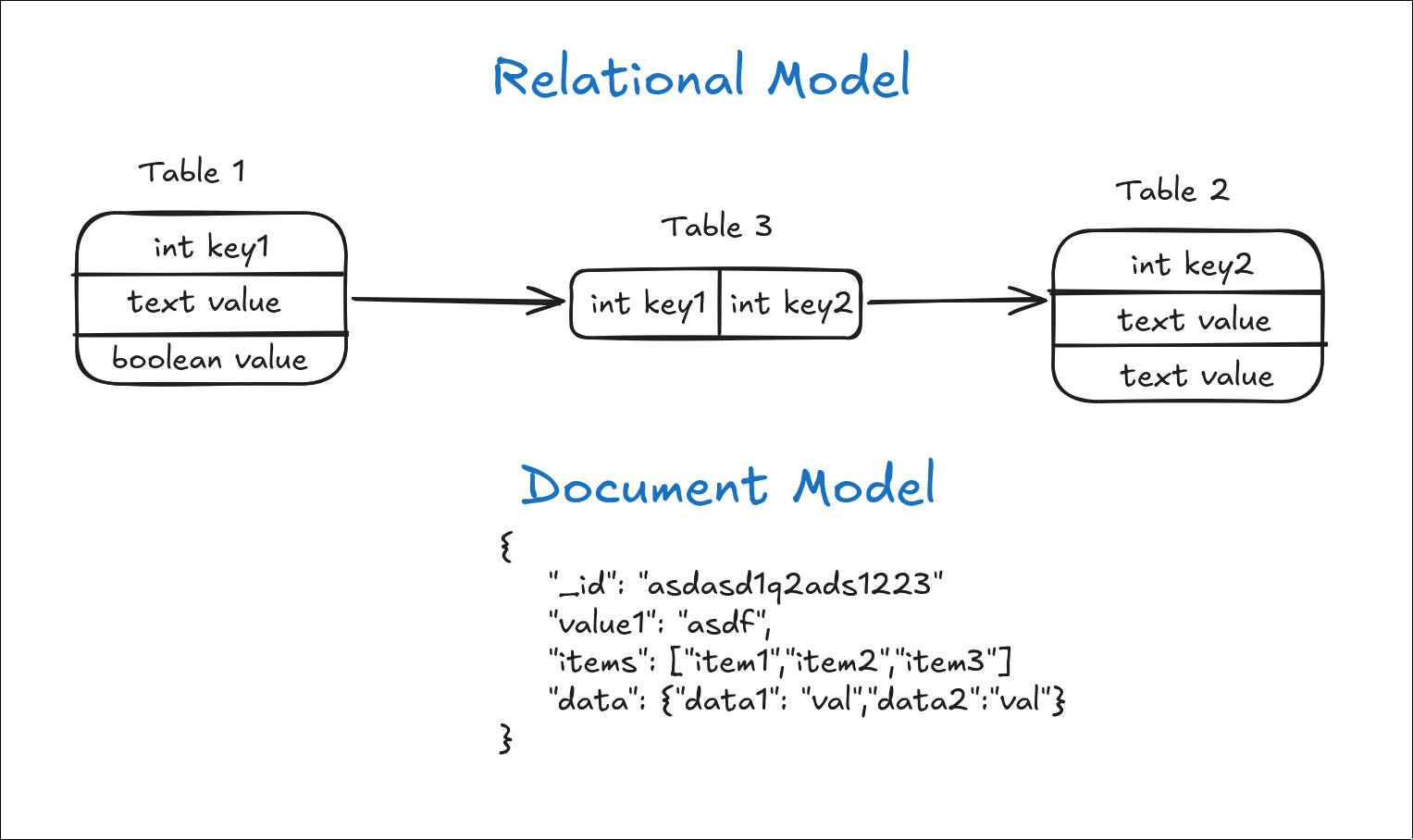
So when should you use MongoDB? Here's my honest take:
- You're building a modern web or mobile app
- Your data structure might change a lot (early stage projects)
- You need to store nested or complex data (like a user profile with embedded addresses and preferences)
- You want to move fast without worrying about schema migrations
When should you NOT use MongoDB? If you're dealing with super complex relationships and need a lot of joins (think banking systems, ERPs), a relational database might serve you better. MongoDB added transactions and lookup operations, but SQL databases still shine there.
---
## Setting Up MongoDB (The Easy Way)
Forget local installation for now. Seriously. The number of people who've given up on MongoDB because of installation headaches is criminal.
We're using **MongoDB Atlas** — it's free, it's cloud-based, and it's exactly what real companies use in production.
### Step 1: Create Your Atlas Account
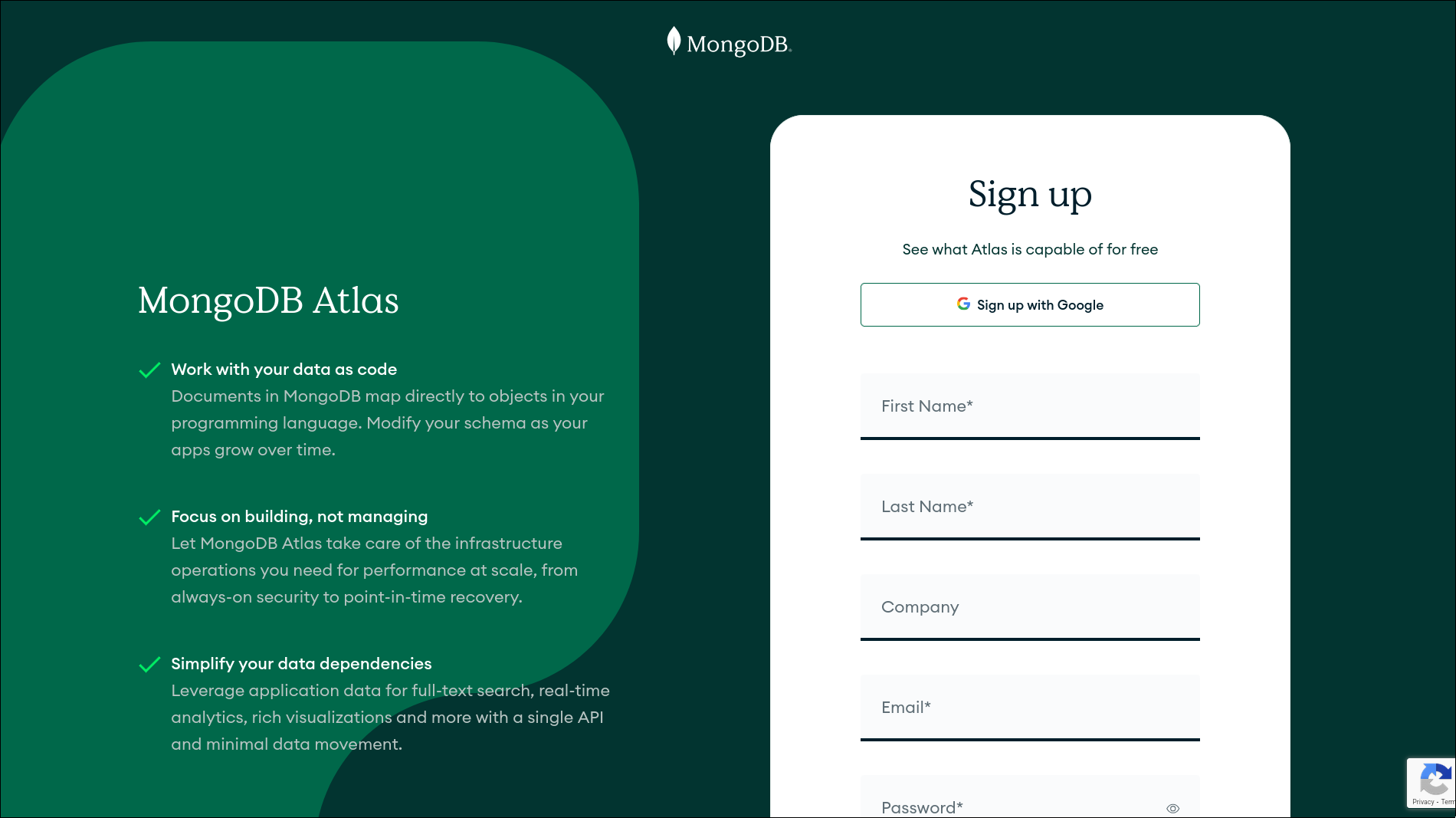
Head to [mongodb.com/products/platform/atlas-database](https://www.mongodb.com/products/platform/atlas-database) and sign up. It's free. No credit card needed for the free tier.
### Step 2: Create Your First Cluster
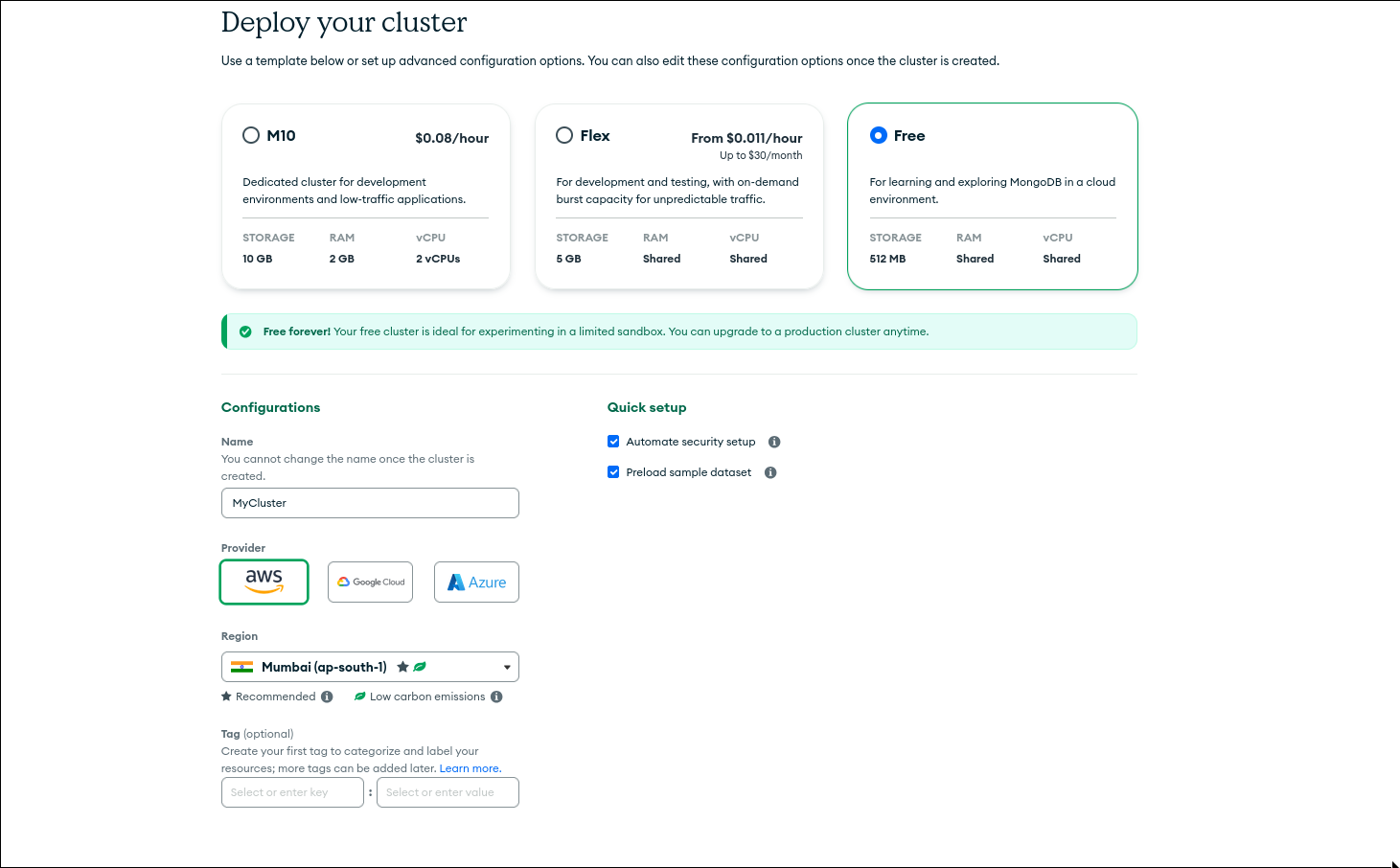
Once you're in, click **"Build a Database"** and choose the **M0 Free** option. Pick whichever cloud provider and region is closest to you. Name your cluster whatever you want — I usually just call it `MyCluster`.
### Step 3: Set Up Access
Atlas will ask you to:
1. Create a database user (username + password — save these!)
2. Your current IP address will be added as the part of auto setup process. (If not head to Database and Network access menu from sidebar you will find the way)
### Step 4: Get Your Connection String
Click **Connect** on your cluster → **Connect using MongoDB Compass** or **Connect your application**. Copy that connection string. You'll need it later.
### Step 5: Install MongoDB Compass
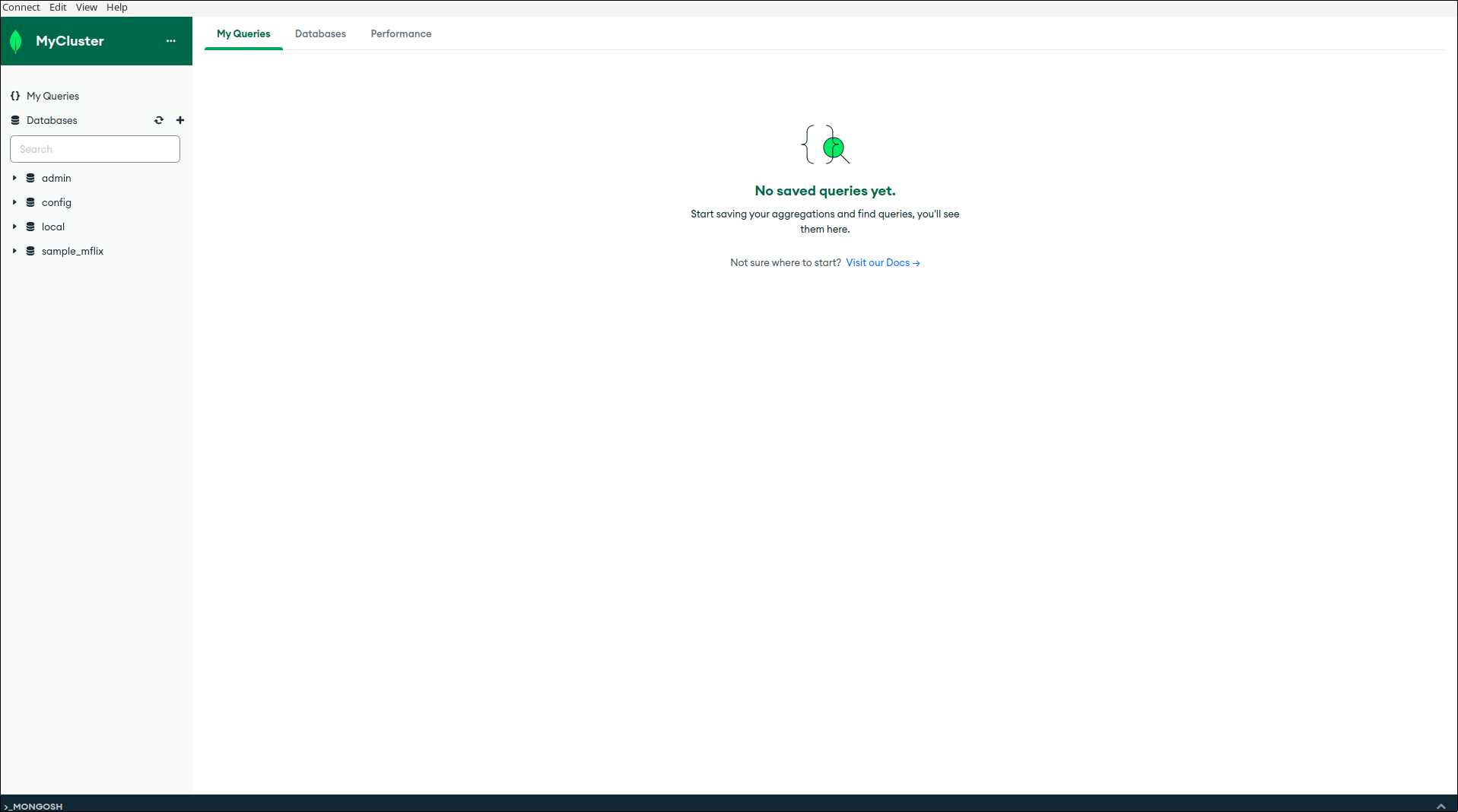
[MongoDB Compass](https://www.mongodb.com/products/compass) is the GUI for MongoDB. It lets you visually browse your data, run queries, and manage collections without writing a single line of code. This is your new best friend.
Download it, install it, paste your connection string, and hit connect. You're in.
---
## Core Concepts: The Building Blocks
Alright, let's get into the actual meat of MongoDB. There are 4 things you need to understand before anything else makes sense.
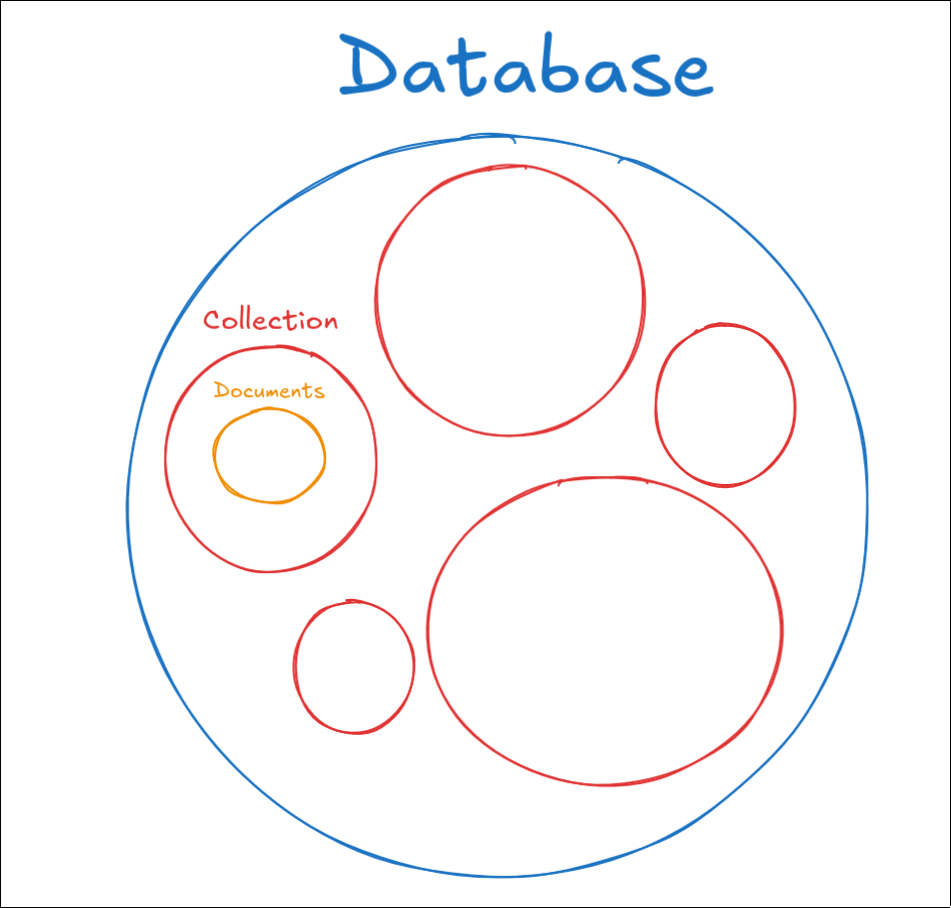
### 1. Database
A database in MongoDB is exactly what it sounds like — a container for your data. Think of it like a project folder. If you're building a blog app, you'd probably have a `blog` database.
### 2. Collection
A collection is like a table in SQL — except it has no fixed structure. It holds a bunch of documents. In your `blog` database, you might have a `posts` collection and a `users` collection.
### 3. Document
This is where MongoDB gets cool. A document is a single record — like a row in SQL — but it's stored as **JSON-like format called BSON**. It looks like this:
```json
{
"_id": "64f3a1b2c3d4e5f6a7b8c9d0",
"name": "Prayush Adhikari",
"email": "prayush@example.com",
"skills": ["JavaScript", "MongoDB", "Linux"],
"address": {
"city": "Kathmandu",
"country": "Nepal"
}
}
```
See that? An array inside a document. An object inside a document. This flexibility is what makes MongoDB powerful.
### 4. `_id` Field
Every document in MongoDB gets a unique `_id` field automatically. MongoDB generates it as an **ObjectId** unless you provide your own. It looks ugly but it's your document's unique fingerprint.
---
## CRUD Operations: The Heart of Everything
CRUD stands for **Create, Read, Update, Delete**. If you master these four operations, you can build basically anything with MongoDB.
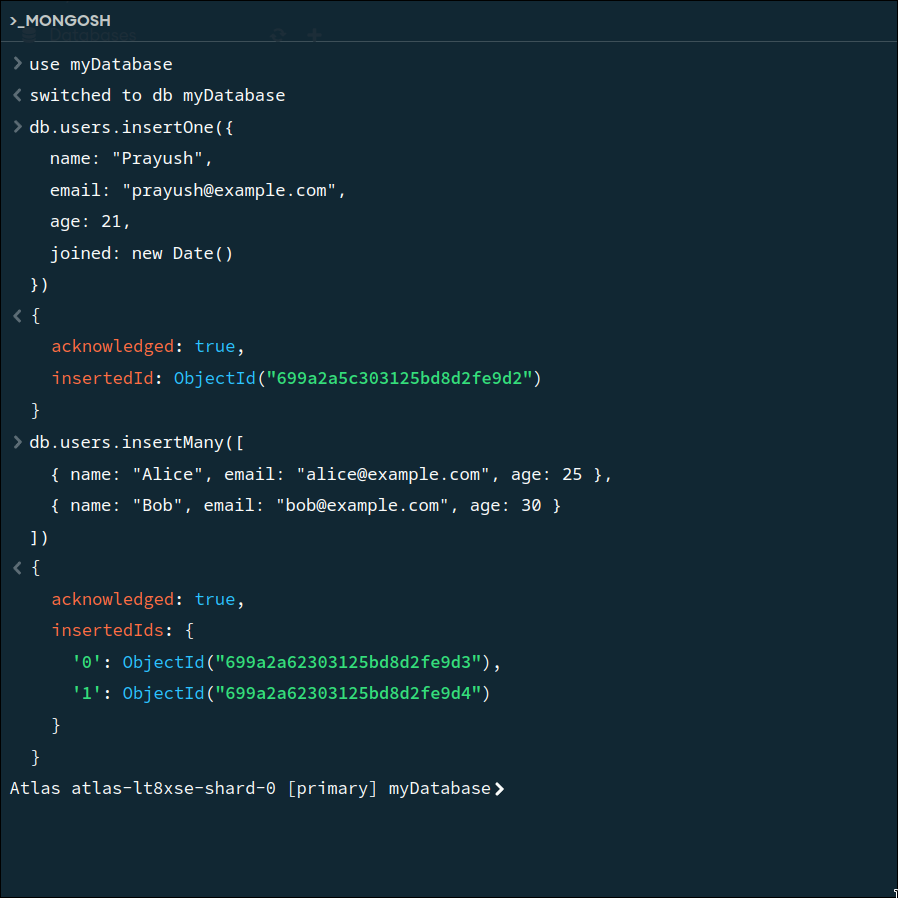
I'll show you both the shell commands (`mongosh`) and what they look like in Compass so you get the full picture. First create a database and a collection using the gui. I am creating the database named `myDatabase` and collection named `users`.
### Create: Adding Data
```javascript
// use the created database
use myDatabase
// Insert a single document
db.users.insertOne({
name: "Prayush",
email: "prayush@example.com",
age: 21,
joined: new Date()
})
// Insert multiple documents at once
db.users.insertMany([
{ name: "Alice", email: "alice@example.com", age: 25 },
{ name: "Bob", email: "bob@example.com", age: 30 }
])
```
### Read: Finding Data
This is where you'll spend most of your time, so pay attention.
```javascript
// Find ALL documents in a collection
db.users.find()
// Find documents that match a condition
db.users.find({ age: 21 })
// Find one specific document
db.users.findOne({ email: "prayush@example.com" })
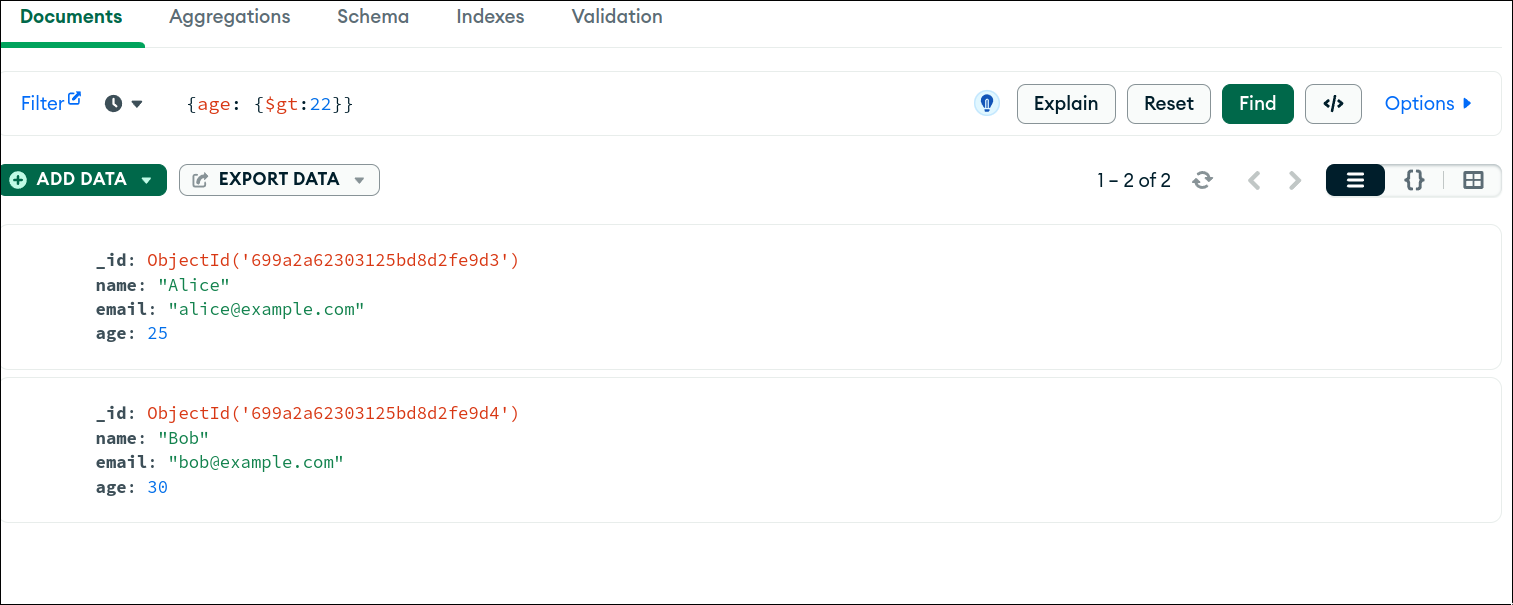
// Find users older than 20
db.users.find({ age: { $gt: 20 } })
// Find users and only return name and email (projection)
db.users.find({}, { name: 1, email: 1, _id: 0 })
// Sort by age ascending
db.users.find().sort({ age: 1 })
// Limit to 5 results
db.users.find().limit(5)
```
Those `$gt`, `$lt`, `$gte` things are called **query operators** and they're incredibly powerful. Here's a quick cheat sheet:
| Operator | Meaning | Example |
|---|---|---|
| `$gt` | Greater than | `{ age: { $gt: 18 } }` |
| `$lt` | Less than | `{ age: { $lt: 65 } }` |
| `$gte` | Greater than or equal | `{ age: { $gte: 21 } }` |
| `$lte` | Less than or equal | `{ score: { $lte: 100 } }` |
| `$ne` | Not equal | `{ status: { $ne: "banned" } }` |
| `$in` | In an array of values | `{ role: { $in: ["admin", "mod"] } }` |
### Update: Changing Data
```javascript
// Update ONE document
db.users.updateOne(
{ name: "Prayush" }, // Filter: find this document
{ $set: { age: 22 } } // What to change
)
// Update MULTIPLE documents
db.users.updateMany(
{ age: { $lt: 18 } },
{ $set: { status: "minor" } }
)
// Increment a value
db.users.updateOne(
{ name: "Prayush" },
{ $inc: { loginCount: 1 } } // Adds 1 to loginCount
)
// Add item to an array
db.users.updateOne(
{ name: "Prayush" },
{ $push: { skills: "Docker" } }
)
```
The `$set`, `$inc`, `$push` are called **update operators**. NEVER update a document without using these operators — if you skip them, you'll overwrite the entire document and lose all your data. Ask me how I know.
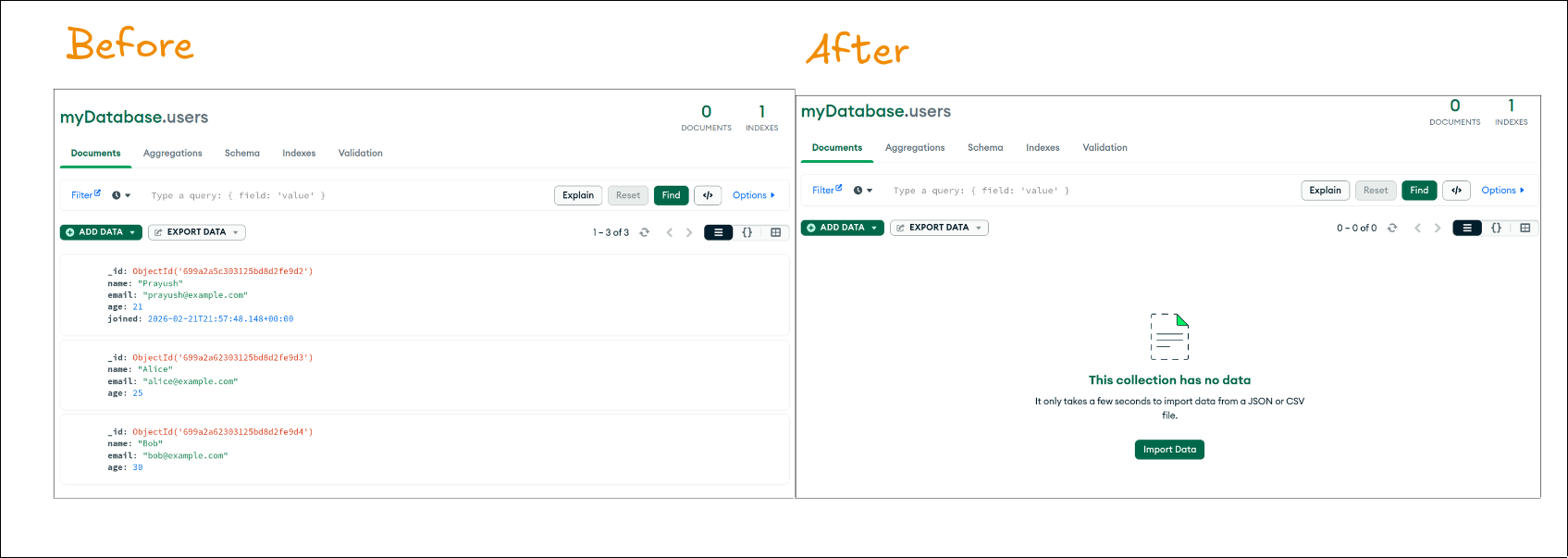
### Delete: Removing Data
```javascript
// Delete ONE document
db.users.deleteOne({ name: "Bob" })
// Delete MULTIPLE documents
db.users.deleteMany({ age: { $lt: 18 } })
// Delete ALL documents in a collection (use carefully!)
db.users.deleteMany({})
```
---
## Data Modeling: The Part That Actually Matters
Here's the thing nobody tells beginners — getting your data model right is more important than knowing all the fancy MongoDB features. A bad data model will haunt you for the entire life of your project.
In MongoDB, you have two ways to relate data: **embedding** and **referencing**.
### Embedding (Nesting Data Inside a Document)
```json
{
"_id": "user123",
"name": "Prayush",
"address": {
"street": "123 Kathmandu St",
"city": "Kathmandu",
"zip": "44600"
},
"orders": [
{ "item": "Keyboard", "price": 50 },
{ "item": "Mouse", "price": 25 }
]
}
```
**Use embedding when:**
- The embedded data is always accessed with the parent (you always need the address when you get the user)
- The embedded data doesn't change often
- The array won't grow unboundedly (don't embed 10,000 comments in a blog post)
### Referencing (Like Foreign Keys in SQL)
```json
// users collection
{
"_id": "user123",
"name": "Prayush"
}
// posts collection
{
"_id": "post456",
"title": "My MongoDB Guide",
"authorId": "user123" // References the user
}
```
**Use referencing when:**
- The data is frequently updated independently
- The data is shared across many documents
- The array could grow very large
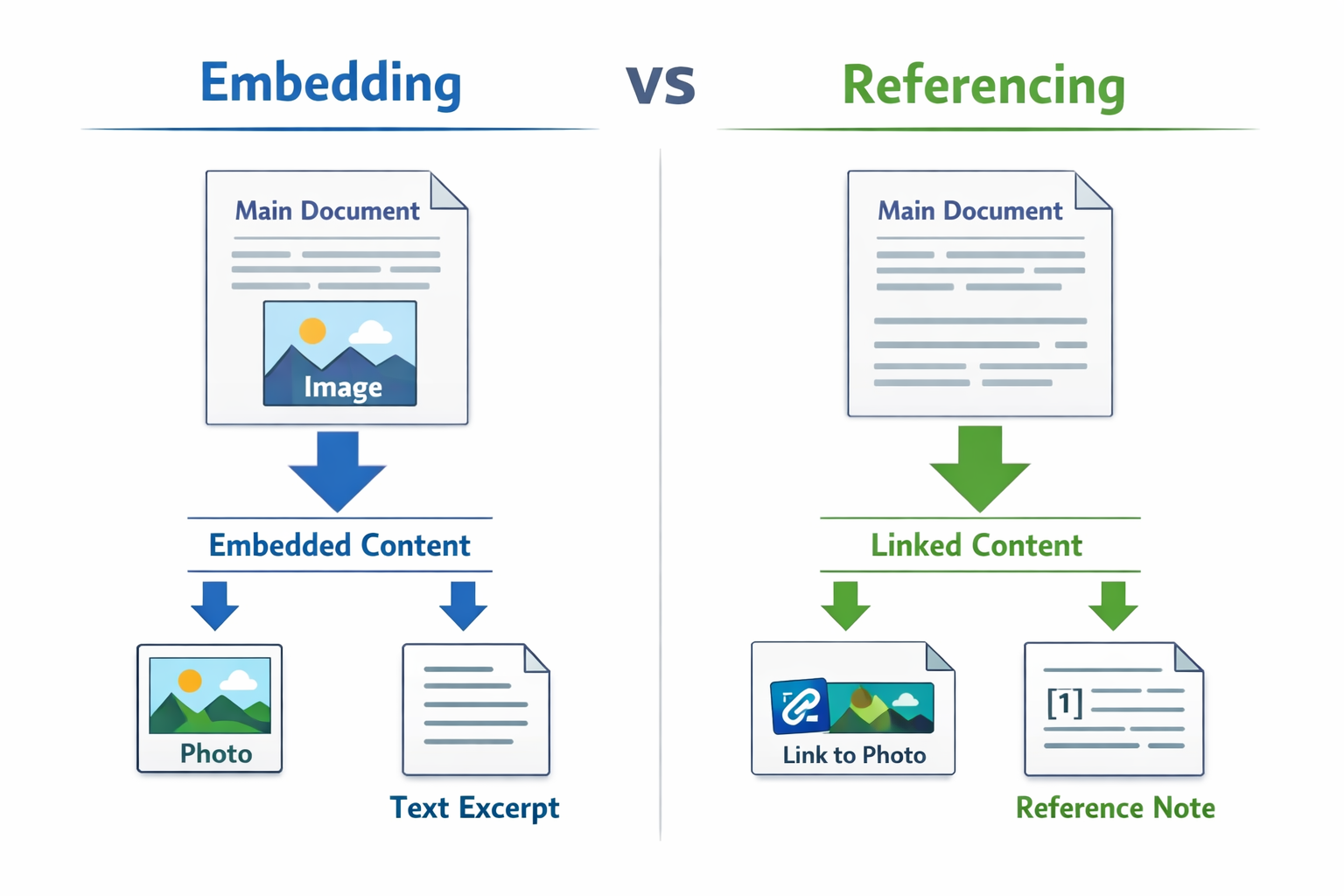
My rule of thumb: **embed for read-heavy relationships, reference for write-heavy or large growing relationships.**
---
## Intermediate Queries: Leveling Up
Now that you know the basics, let's get into some more powerful queries.
### Querying Arrays
```javascript
// Find users who have "MongoDB" in their skills array
db.users.find({ skills: "MongoDB" })
// Find users who have BOTH "MongoDB" AND "JavaScript"
db.users.find({ skills: { $all: ["MongoDB", "JavaScript"] } })
// Find users where at least one skill matches a condition
db.users.find({
skills: { $elemMatch: { $eq: "Docker" } }
})
```
### Querying Nested/Embedded Documents
Use dot notation to query inside nested objects:
```javascript
// Find users in Kathmandu
db.users.find({ "address.city": "Kathmandu" })
// Find orders over $100 within user documents
db.users.find({ "orders.price": { $gt: 100 } })
```
### Logical Operators
```javascript
// AND: find users who are 21 AND from Kathmandu
db.users.find({
$and: [
{ age: 21 },
{ "address.city": "Kathmandu" }
]
})
// OR: find users who are admins OR moderators
db.users.find({
$or: [
{ role: "admin" },
{ role: "moderator" }
]
})
// NOT: find users who are NOT banned
db.users.find({ status: { $not: { $eq: "banned" } } })
```
---
## The Aggregation Framework: Where the Real Magic Happens
This is the part that separates beginners from intermediate developers. The aggregation framework lets you process and transform your data through a **pipeline** of stages.
Think of it like a factory assembly line — your data goes in one end, gets processed at each stage, and comes out transformed on the other end.
```javascript
db.orders.aggregate([
// Stage 1: Filter (like find)
{ $match: { status: "completed" } },
// Stage 2: Group by category and sum revenue
{ $group: {
_id: "$category",
totalRevenue: { $sum: "$price" },
orderCount: { $sum: 1 }
}},
// Stage 3: Sort by revenue descending
{ $sort: { totalRevenue: -1 } },
// Stage 4: Only return top 5
{ $limit: 5 }
])
```
This pipeline would give you the top 5 product categories by revenue. Try doing that with just `find()`.
### Common Aggregation Stages
| Stage | What it does |
|---|---|
| `$match` | Filter documents (like `find`) |
| `$group` | Group documents and compute values |
| `$sort` | Sort results |
| `$project` | Include/exclude/transform fields |
| `$limit` | Cap the number of results |
| `$unwind` | Deconstruct an array into separate documents |
| `$lookup` | Join with another collection |
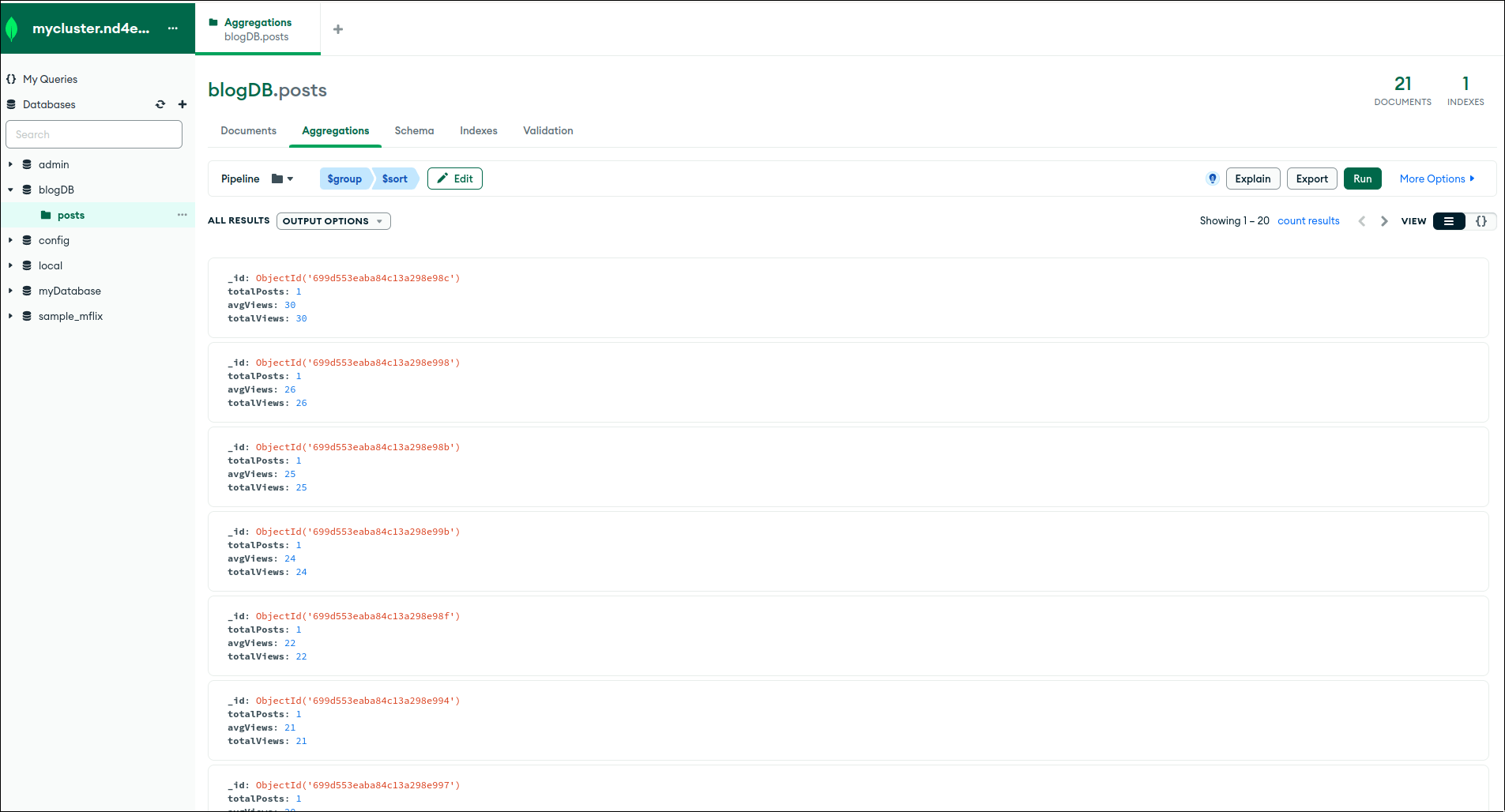
### Real Example: Blog Stats
```javascript
// Get total posts and average views per author
db.posts.aggregate([
{ $group: {
_id: "$authorId",
totalPosts: { $sum: 1 },
avgViews: { $avg: "$views" },
totalViews: { $sum: "$views" }
}},
{ $sort: { totalViews: -1 } }
])
```
---
## Indexing: Making Your Database Fast
Here's a fact: without indexes, MongoDB scans EVERY document in a collection to find matches. That's fine when you have 100 documents. It's catastrophic when you have 10 million.
An **index** is like the index at the back of a textbook — instead of reading every page to find "MongoDB," you look at the index, get the page number, and jump straight there.
```javascript
// Create an index on the email field
db.users.createIndex({ email: 1 }) // 1 = ascending, -1 = descending
// Create a compound index (on multiple fields)
db.users.createIndex({ age: 1, city: 1 })
// Create a unique index (no duplicate emails!)
db.users.createIndex({ email: 1 }, { unique: true })
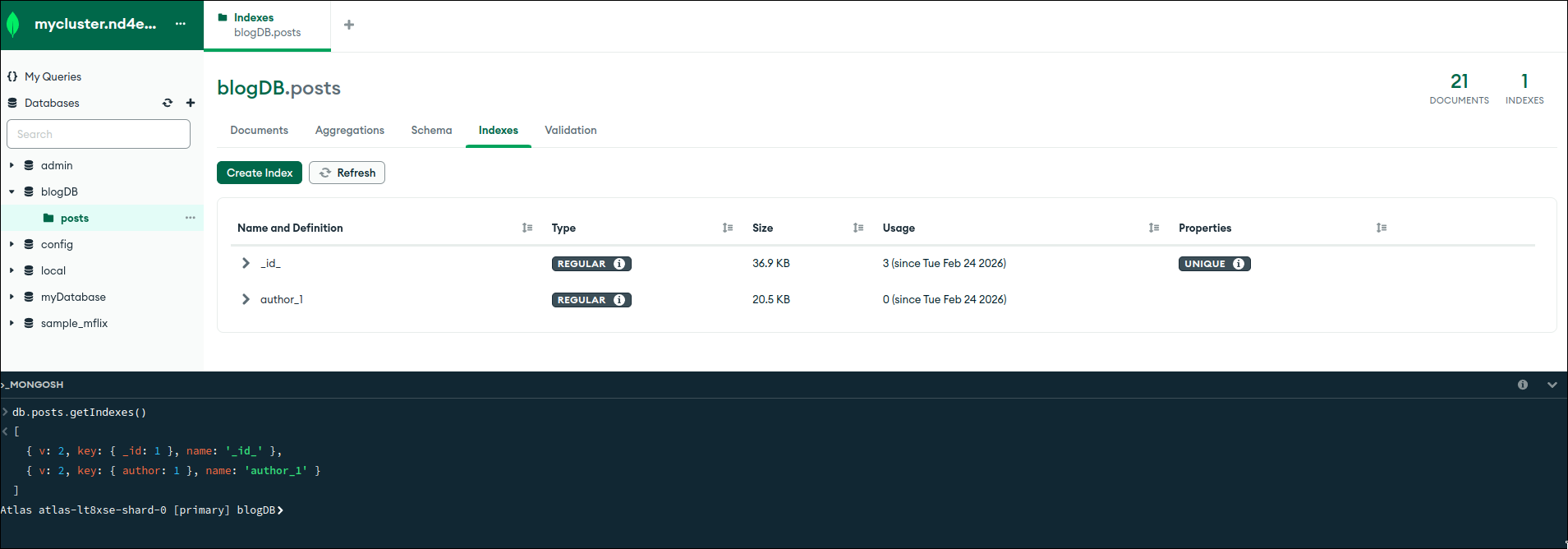
// Check existing indexes
db.users.getIndexes()
// See how MongoDB executes a query (is it using an index?)
db.users.find({ email: "prayush@example.com" }).explain("executionStats")
```
### When to Add an Index
Add indexes on fields that you:
- Query frequently (filters, search)
- Sort on often
- Use in joins/lookups
Don't add indexes on everything — they take up space and slow down writes. Index what you query. That's the rule.
---
## Transactions: When You Need ACID Guarantees
Here's something that surprises a lot of people: MongoDB supports multi-document transactions since version 4.0. Yes, the same kind of transactions you get in PostgreSQL.
This matters when you need multiple operations to either ALL succeed or ALL fail. Classic example: transferring money between two accounts.
```javascript
const session = client.startSession();
try {
session.startTransaction();
await db.collection('accounts').updateOne(
{ userId: "user1" },
{ $inc: { balance: -100 } },
{ session }
);
await db.collection('accounts').updateOne(
{ userId: "user2" },
{ $inc: { balance: 100 } },
{ session }
);
await session.commitTransaction();
console.log("Transfer successful!");
} catch (error) {
await session.abortTransaction();
console.log("Transfer failed. Rolled back.");
} finally {
session.endSession();
}
```
If the second update fails, the first one is automatically rolled back. No partial transfers. No corrupted data.
---
## Connecting MongoDB to Node.js (Let's Build Something Real)
Theory is cool but let's actually use this thing. Here's how to connect MongoDB to a Node.js app.
### Setup
```bash
mkdir mongo-demo && cd mongo-demo
npm init -y
npm install mongodb dotenv
```
Create a `.env` file:
```
MONGODB_URI=your_connection_string_from_atlas
```
### Basic Connection
```javascript
// db.js
const { MongoClient } = require('mongodb');
require('dotenv').config();
let client;
async function connectDB() {
if (client) return client;
client = new MongoClient(process.env.MONGODB_URI);
await client.connect();
console.log("Connected to MongoDB!");
return client;
}
module.exports = { connectDB };
```
### Building a Simple CRUD API
```javascript
// app.js
const { connectDB } = require('./db');
async function main() {
const client = await connectDB();
const db = client.db("blogDB");
const posts = db.collection("posts");
// CREATE
const newPost = await posts.insertOne({
title: "My First Post",
content: "MongoDB is actually pretty cool",
author: "Prayush",
views: 0,
tags: ["mongodb", "tutorial"],
createdAt: new Date()
});
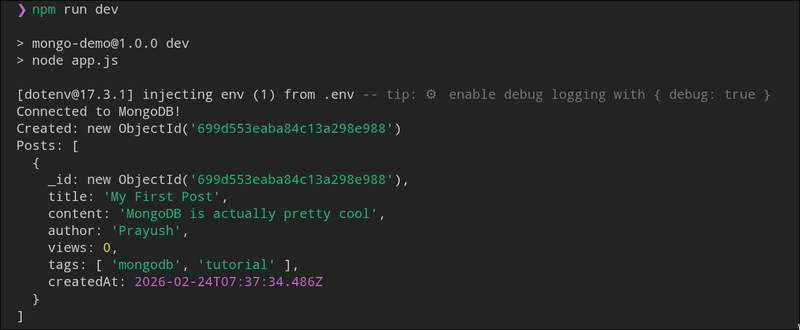
console.log("Created:", newPost.insertedId);
// READ
const allPosts = await posts.find({ author: "Prayush" }).toArray();
console.log("Posts:", allPosts);
// UPDATE
await posts.updateOne(
{ _id: newPost.insertedId },
{ $inc: { views: 1 } }
);
// DELETE
// await posts.deleteOne({ _id: newPost.insertedId });
await client.close();
}
main();
```
---
## Mongoose: The Better Way to Use MongoDB with Node.js
If you're building a real app with Node.js, you'll want to use **Mongoose** instead of the raw MongoDB driver. Mongoose adds schema validation, middleware, and a bunch of quality-of-life features.
```bash
npm install mongoose
```
```javascript
const mongoose = require('mongoose');
// Define a schema
const postSchema = new mongoose.Schema({
title: { type: String, required: true },
content: { type: String, required: true },
author: { type: String, required: true },
views: { type: Number, default: 0 },
tags: [String],
createdAt: { type: Date, default: Date.now }
});
// Create a model
const Post = mongoose.model('Post', postSchema);
// Connect and use
async function run() {
await mongoose.connect(process.env.MONGODB_URI);
// Create
const post = new Post({
title: "Mongoose is Great",
content: "Schema validation saves lives",
author: "Prayush"
});
await post.save();
// Find
const posts = await Post.find({ author: "Prayush" }).sort({ createdAt: -1 });
console.log(posts);
await mongoose.disconnect();
}
run();
```
The big win with Mongoose? If you try to save a document without a required field, it throws an error before it even hits the database. That's validation at the schema level.
---
## Atlas Search and Vector Search: The 2025-2026 Stuff
This is where MongoDB gets genuinely exciting for modern applications.
### Atlas Search
Built on Apache Lucene, Atlas Search lets you add full-text search to your app without spinning up a separate Elasticsearch instance.
```javascript
// Full-text search on posts
db.posts.aggregate([
{
$search: {
index: "default",
text: {
query: "mongodb tutorial",
path: ["title", "content"]
}
}
},
{ $limit: 10 }
])
```
### Vector Search (For AI Apps)
If you're building RAG applications or any AI-powered feature that needs semantic search, MongoDB Atlas Vector Search is a game changer. You store embeddings (vectors from AI models) right alongside your data and query by similarity.
```javascript
// Search for semantically similar documents
db.articles.aggregate([
{
$vectorSearch: {
index: "vector_index",
path: "embedding",
queryVector: [0.1, 0.25, -0.3, ...], // Your query embedding
numCandidates: 100,
limit: 10
}
}
])
```
This is the technology that powers modern AI chatbots that can "remember" things from documents. MongoDB lets you build this without stitching together 5 different services.
---
## Time Series Collections (MongoDB 8.x)
Got IoT data? Logs? Metrics? MongoDB 8.x introduced optimized time series collections that store time-based data WAY more efficiently than regular collections.
```javascript
// Create a time series collection
db.createCollection("sensorData", {
timeseries: {
timeField: "timestamp",
metaField: "sensorId",
granularity: "seconds"
}
})
// Insert time series data
db.sensorData.insertMany([
{ timestamp: new Date(), sensorId: "sensor1", temperature: 23.5, humidity: 60 },
{ timestamp: new Date(), sensorId: "sensor2", temperature: 25.1, humidity: 55 }
])
```
MongoDB automatically handles compression and optimized storage for you. This stuff used to require specialized databases like InfluxDB. Now MongoDB handles it natively.
---
## The Real Secret to MongoDB Mastery
Here's what nobody tells you: knowing all the commands is the easy part. The hard part is **knowing which tool to reach for**.
Every concept I've covered comes down to one question: what is the most efficient way to store and retrieve THIS specific data for THIS specific use case?
- Embedding vs referencing is a design decision, not a rule.
- Indexes are solutions to performance problems, not defaults you add to everything.
- Aggregations are for analytics and transformations, not for basic reads.
- Transactions are for when correctness absolutely cannot be compromised.
Start building something. A blog. A todo app. A movie tracker. Break it. Fix it. Look at your slow queries. Add indexes. Refactor your data model when it starts hurting. That's how you actually learn MongoDB.
---
## What's Next?
Here are some things I'd cover in separate deep dives if you want me to:
- **Full REST API with Express + MongoDB** — Let's build it properly
- **Authentication system with MongoDB** — JWT, sessions, the whole thing
- **Sharding and scaling** — When your app hits a million users
- **MongoDB Change Streams** — Real-time notifications without polling
- **Atlas Triggers and Functions** — Serverless functions that react to database events
Drop a comment with which one you want first and I'll get to it.
---
## Let's Connect
I'm **Prayush Adhikari**, grinding through computer engineering and writing content that actually helps. If this guide saved you from a bad tutorial or a confusing Stack Overflow thread, we're even.
- **LinkedIn:** [adhikareeprayush](https://linkedin.com/in/adhikareeprayush)
- **GitHub:** [adhikareeprayush](https://github.com/adhikareeprayush)
What do you want me to cover next? Drop it in the comments.
Now go build something with MongoDB.

Get nearly half a million quotes with this free, public API. Enjoy advanced filters by author, category, text search & length. No API keys, no rate limits!

Supercharge your VS Code with 10 essential extensions! Code formatting, live servers, AI assistance, API testing – boost your workflow!